What Is a Kiosk Ordering System? Everything You Need to Know
The goal is not to replace the human side of a restaurant. It is to make the ordering process simpler, more measurable and better connected to the operation behind the counter.

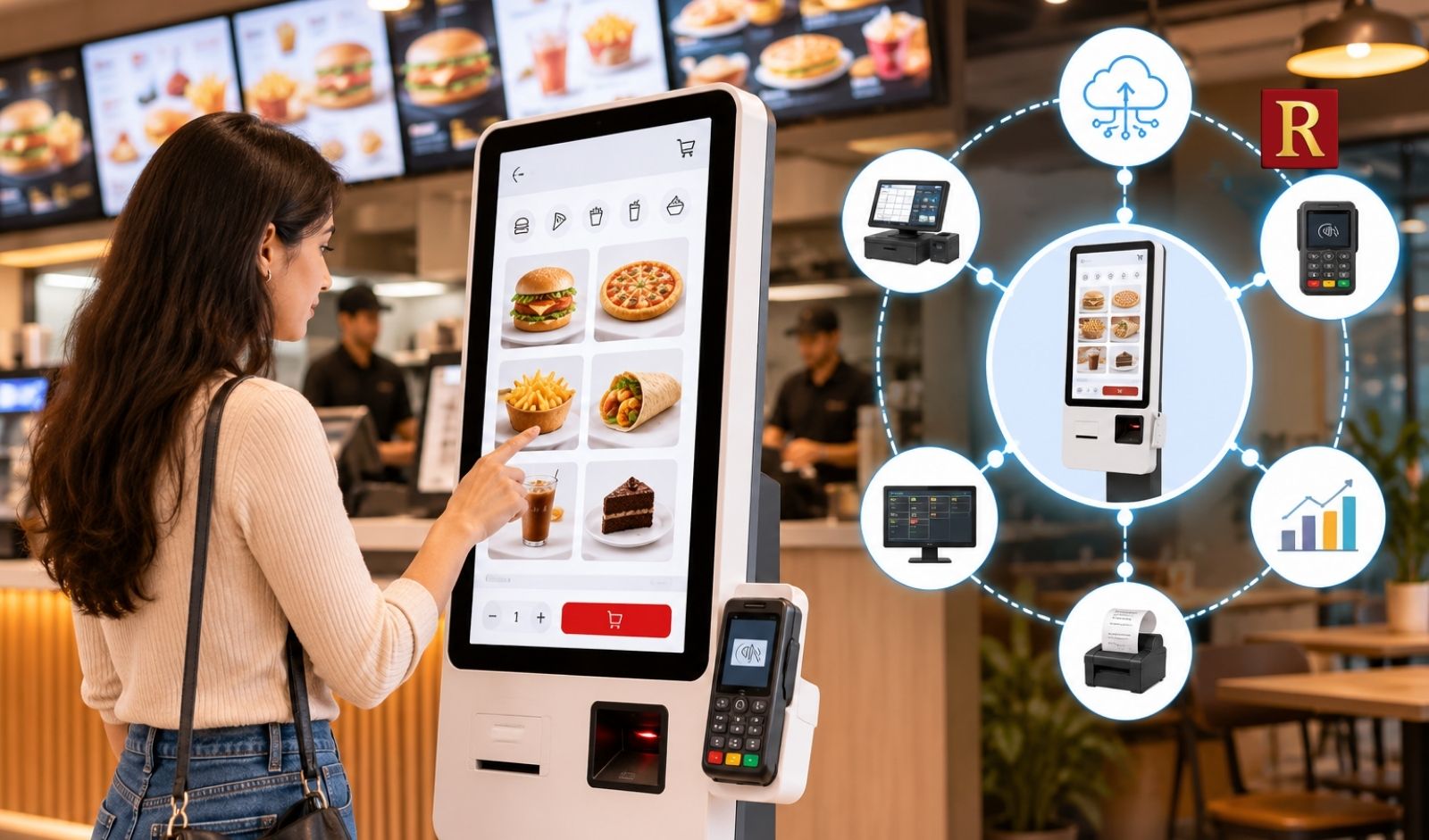
A kiosk ordering system is a self-service touchscreen that lets restaurant customers browse a menu, customise their food, place an order and, in many cases, pay without using a cashier. The screen is only one part of the system. Behind it, the kiosk can connect with the restaurant's POS, payment system, kitchen display system (KDS), inventory software and loyalty tools. For restaurant owners, the bigger question is not whether a kiosk looks modern. It is whether it can make ordering faster, reduce manual work and create a better flow during busy hours.
What Is a Kiosk Ordering System?
A kiosk ordering system is a combination of hardware and software designed for self-service ordering.
A typical restaurant kiosk includes:
- Touchscreen display
- Ordering software
- Digital menu
- POS integration
- Payment terminal
- QR or digital payment support
- Receipt printer, where required
- Network connection
- Order and sales analytics
The customer controls the ordering process. They can select an item, choose its size, add or remove ingredients, select add-ons and review the total before payment. This is different from a digital menu board. A digital menu only displays food and prices. A kiosk allows the customer to complete an actual transaction. Toast, for example, describes restaurant kiosks as customer-facing ordering devices that can connect directly with restaurant POS and kitchen operations.
How Does a Restaurant Kiosk Work?
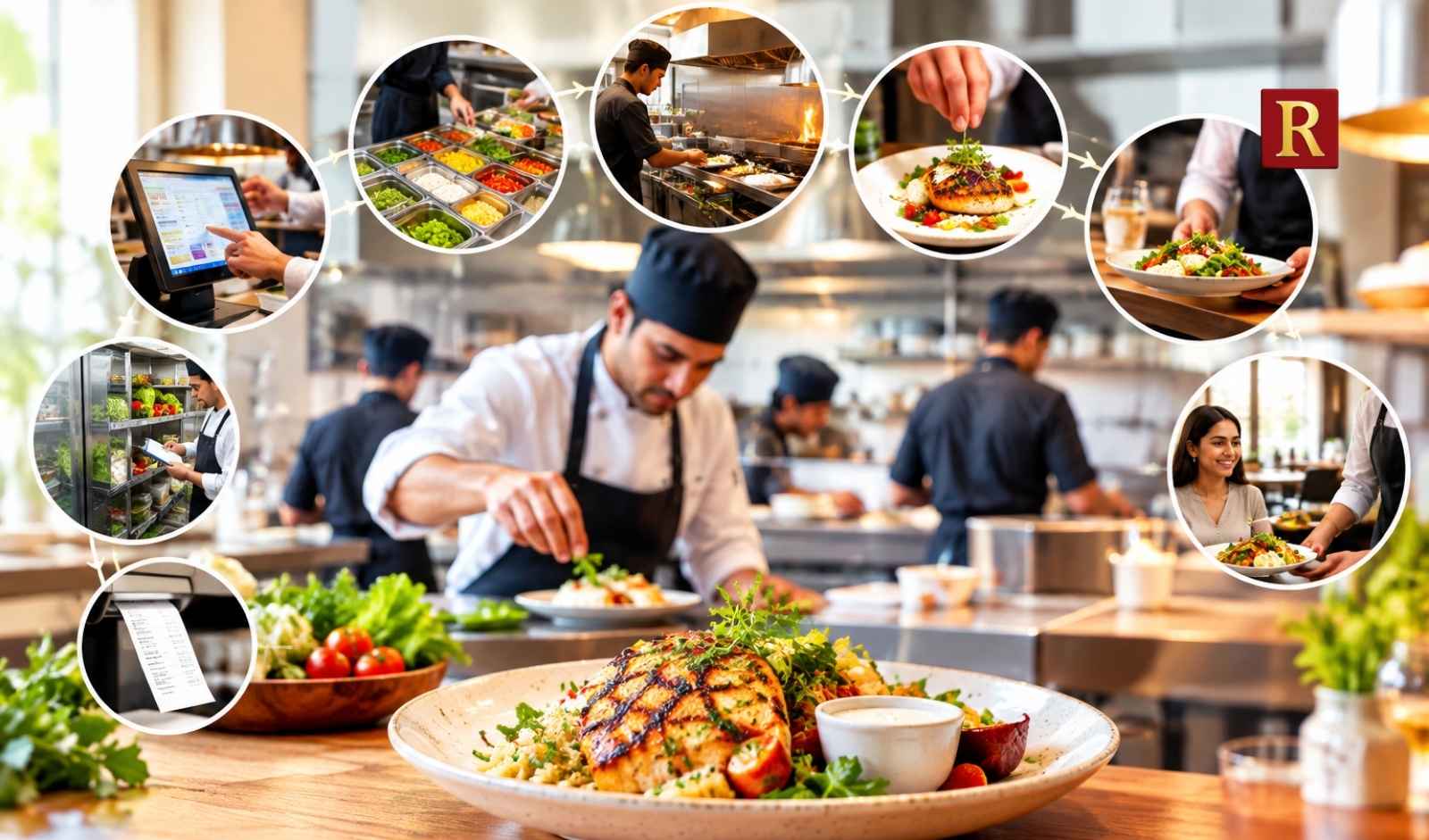
The easiest way to understand a kiosk is to follow one order from start to finish. Customer → Kiosk → POS → Payment → KDS → Kitchen → Order Handoff
1. The customer starts an order
The customer taps the screen and selects the relevant ordering option. This could include dine-in or takeaway, depending on the restaurant's setup.
2. The digital menu appears
The kiosk displays categories, photographs, prices and available products.
A well-designed system can also show:
- Sizes
- Ingredients
- Modifiers
- Combos
- Add-ons
- Dietary information
- Product availability
3. The customer customises the food
Consider a burger order. The customer may select a regular burger, add cheese, remove onions, add fries and upgrade the drink. The system calculates the revised price automatically. This reduces the need for staff to manually interpret every modification.
4. The kiosk suggests add-ons
The system can display prompts such as "Add fries" or "Upgrade your drink." This creates a consistent upselling process. However, a kiosk does not automatically increase sales. Restaurants need to measure whether these prompts actually improve average order value (AOV).
5. Payment is completed
Depending on the restaurant and market, payment can support cards, contactless payments, digital wallets and QR-based methods. For Indian restaurants, UPI compatibility can be an important consideration.
6. The order reaches the POS
Once payment is completed, the order can move directly into the restaurant's POS. This is an important part of the system. If staff have to read the kiosk order and enter it into the POS again, much of the benefit of automation is lost.
7. The kitchen receives the order
The POS can send the order to a KDS or kitchen printer. Different items can also be routed to different stations.
For example:
- Burger → Grill station
- Fries → Fry station
- Cold drink → Beverage station
This connects the customer's touchscreen experience with the restaurant's back-end operation.
What Technology Is Inside a Kiosk?
A restaurant kiosk has two key sides: hardware and software, and both are essential for a smooth ordering experience. The hardware can include a touchscreen, processor, payment terminal, QR scanner, receipt printer, speakers, and a stand or wall mount. The software manages the digital menu, product selection, modifiers, pricing, promotions, payments, order routing, customer data, and analytics. However, buying a touchscreen alone does not create a complete kiosk ordering system. The software must work with the restaurant’s existing technology, especially its POS and kitchen display system (KDS). Strong integration helps keep menus, prices, availability, orders, and payments connected. For restaurant operators, the real value lies not in the physical screen but in how effectively the entire kiosk system works with the wider restaurant technology stack.
How Does a Kiosk Connect With a POS?
The POS acts as an important bridge between the kiosk and the restaurant's operations.
- A simplified technology flow looks like this: Kiosk → Integration/API → POS → KDS → Kitchen
Ideally, the system should synchronise menu items, prices, modifiers, taxes and availability. Suppose a restaurant sells out of a particular dessert. If the menu system is properly integrated, that item can be marked unavailable across connected ordering channels. This prevents a customer from paying for something that the kitchen cannot provide. Restaurants should ask vendors whether the integration is native, API-based, middleware-based or custom-built. That difference can affect installation, maintenance and future upgrades.
What Are the Benefits of a Kiosk Ordering System?
The biggest benefit is not simply having fewer cashiers. A kiosk creates an additional ordering channel. Imagine a QSR with 100 customers arriving during a busy period. Instead of every customer joining one cashier queue, some can order through kiosks while others use the counter. Research published in Management Science found that self-order technologies can reduce waiting costs and can influence demand.
Other potential benefits include:
Faster order entry: Customers enter their own selections, reducing manual order-taking.
Better customisation: Modifiers can be displayed clearly instead of relying on verbal instructions.
Consistent upselling: Every customer can see the same relevant add-on prompts.
Structured data: Each transaction creates digital data that can be analysed.
Better peak-hour capacity: Additional ordering points can help restaurants manage busy periods.
More staff flexibility: Employees can spend more time on food preparation, order handoff, customer assistance and other operational tasks. But restaurants should avoid assuming that kiosks automatically eliminate jobs.
A 2023 study of Korean restaurants found little change in full-time or part-time employee numbers after kiosk adoption. The impact also differed between franchise and independent restaurants.
Do Kiosks Increase Average Order Value?
They can, but there is no universal number that applies to every restaurant. The reason is simple. A kiosk can display add-ons more consistently than a busy cashier. But customer behaviour, menu design, pricing and restaurant format all affect the result.
- Restaurant owners should calculate: AOV = Total Kiosk Sales ÷ Number of Kiosk Orders
- For example, if 500 kiosk orders generate ₹1,75,000 in sales: ₹1,75,000 ÷ 500 = ₹350 AOV
That figure can then be compared with the restaurant's cashier and online ordering channels. A field study comparing kiosks with cashiers found that kiosk users reported a better experience in that setting, while cashiers generated more revenue. This is a useful reminder that technology does not automatically outperform people.
What Does a Restaurant Kiosk Cost?
There is no single price for a kiosk ordering system.
The total cost can include:
- Hardware
- Software subscription
- POS integration
- Payment hardware
- Installation
- Network setup
- Maintenance
- Technical support
Restaurants should calculate total cost of ownership (TCO) rather than comparing only the price of the touchscreen.
- A useful formula is: TCO = Hardware + Software + Integration + Installation + Payment Costs + Maintenance
ROI should also be measured using actual restaurant data. For example, a restaurant processing 400 orders a day may decide to test two kiosks.
- If 25% of its orders move to the kiosks, that means approximately: 400 × 25% = 100 kiosk orders per day
- If the average kiosk order is ₹320: 100 × ₹320 = ₹32,000 in daily kiosk sales
But this ₹32,000 should not automatically be treated as additional revenue. Some of those customers may simply have shifted from the cashier. That distinction is critical when calculating ROI.
Which Restaurants Should Use Kiosks?
Kiosks generally make more sense for restaurants with:
- High footfall
- Repetitive ordering
- Peak-hour queues
- Large menus
- Frequent customisation
- QSR or fast-casual formats
- Food-court locations
- Multiple outlets
They may be less useful for fine-dining restaurants where personal service is central to the experience.
- The right question is not "Does the restaurant need a kiosk?" It is: "What operational problem will the kiosk solve?"
What Should Restaurants Check Before Buying One?
Restaurant owners should evaluate the complete system.
POS compatibility: Confirm that the kiosk works with the existing POS.
Payment support: Check card, contactless and UPI options where relevant.
Menu synchronisation: Prices, modifiers and unavailable products should update correctly.
KDS integration: Orders should reach the correct kitchen stations.
Failure handling: Ask vendors how the kiosk handles connectivity failures, payment errors, crashes, unavailable items, and abandoned orders.
Analytics: The system should provide useful information about orders and customer behaviour.
Accessibility: Screen height, text size, contrast and simple navigation matter. W3C guidance specifically covers accessibility considerations for self-service transaction machines and kiosks.
Security: Payment systems need proper security controls. PCI Security Standards Council guidance notes that payment terminals involved in capturing payment card data can fall within PCI DSS scope, depending on the payment environment.
Kiosk vs Cashier: Which Is Better?
It does not have to be an either-or decision.
Factor | Kiosk | Cashier |
Order entry | Customer-led | Staff-led |
Customisation | Structured | Conversational |
Upselling | Programmed | Staff-dependent |
Payment | Self-service | Staff-assisted |
Personal interaction | Lower | Higher |
Peak-hour capacity | Can add ordering capacity | Limited by available staff |
Customer assistance | Staff still needed | Built into the process |
For many restaurants, a hybrid model can be more practical. Customers who prefer self-service can use the kiosk. Customers who want help can still approach the counter.
What Metrics Should Restaurants Track?
Installing the kiosk is only the beginning. Restaurant operators should measure:
Kiosk adoption rate: Kiosk Orders ÷ Total Orders × 100
Average order value: Kiosk Revenue ÷ Kiosk Orders
Conversion rate: Completed Orders ÷ Kiosk Sessions × 100
Add-on rate: Orders With Add-ons ÷ Total Kiosk Orders × 100
Average transaction time: Time from starting the order to payment completion.
Kiosk uptime: Available Operating Time ÷ Planned Operating Time × 100
Refund and error rate: Compare kiosk-generated errors with other ordering channels.
These numbers can tell an owner whether the kiosk is actually improving the operation.
The Bottom Line
A kiosk ordering system is more than a touchscreen placed near a restaurant entrance. It is another digital ordering channel that can connect the customer interface, menu, payment, POS, kitchen and restaurant analytics. For a busy QSR, it can help create additional ordering capacity and make customisation more structured. For another restaurant, it may add cost without solving a meaningful problem. The best approach is to start with the bottleneck. If queues, manual order entry or peak-hour capacity are genuine problems, a kiosk may be worth testing. Start with one outlet, measure adoption, AOV, transaction time and operational costs, and then decide whether a larger rollout makes financial sense. The goal is not to replace the human side of a restaurant. It is to make the ordering process simpler, more measurable and better connected to the operation behind the counter.
Saptopriya Ghosal
Feature Writer
I am a dedicated media professional with a bachelor's degree in mass communication from the State University of Calcutta and a postgraduate degree from Amity University. My academic journey has equipped me with a profound understanding of storytelling and communication. Passionate about the dynamic world of media, I continually strive to explore new ways to engage and inform through compelling narratives.